
Browser Fingerprint Comparison
Standard browser sessions expose unique device fingerprints. OpenLibreNet masks these identifiers.
Safari Private Tab
Your real device is exposed
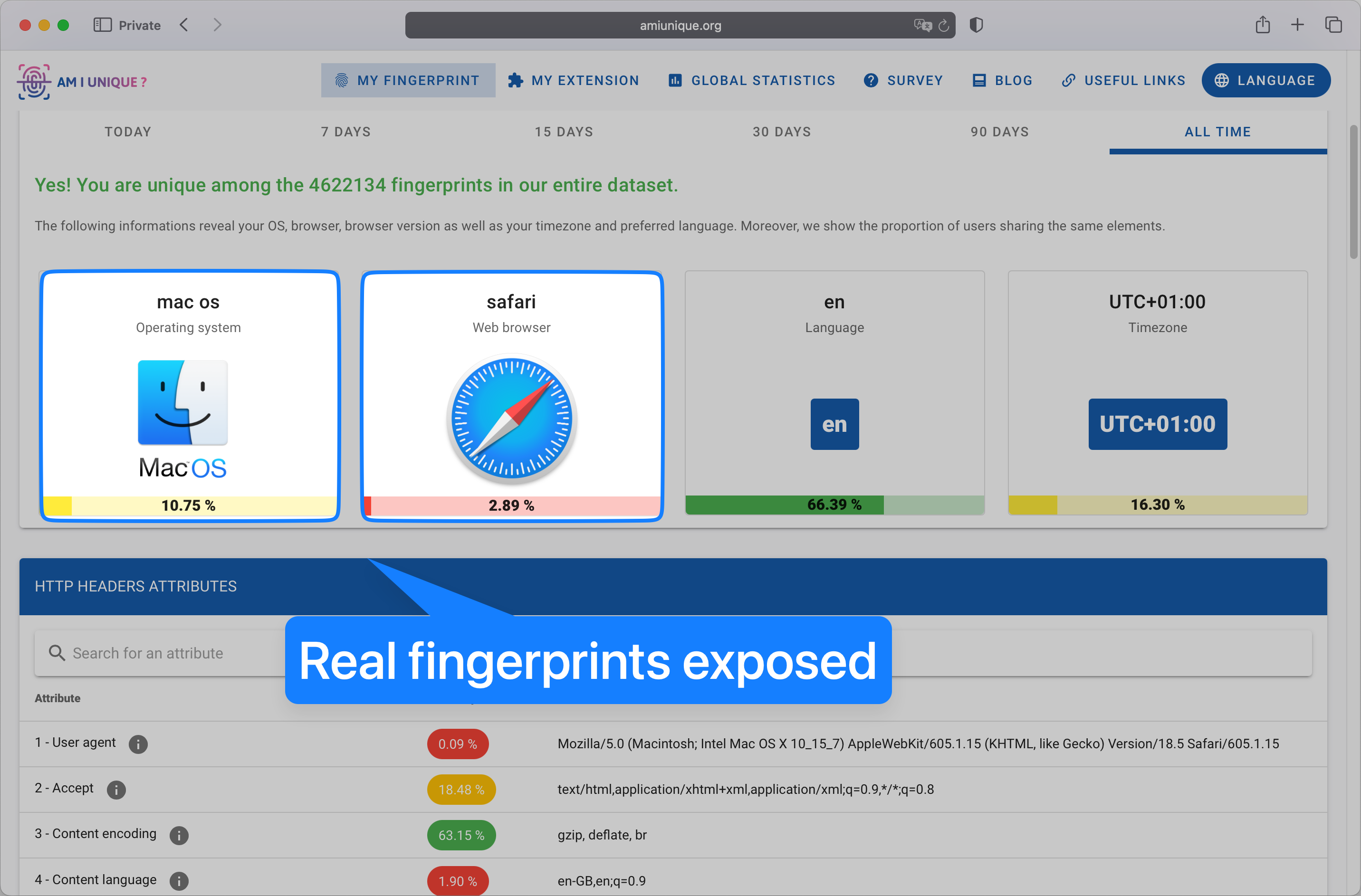
Trackers can see: Real OS, real browser, unique fingerprint, exact hardware configuration
OpenLibreNet Session
Your identity is protected
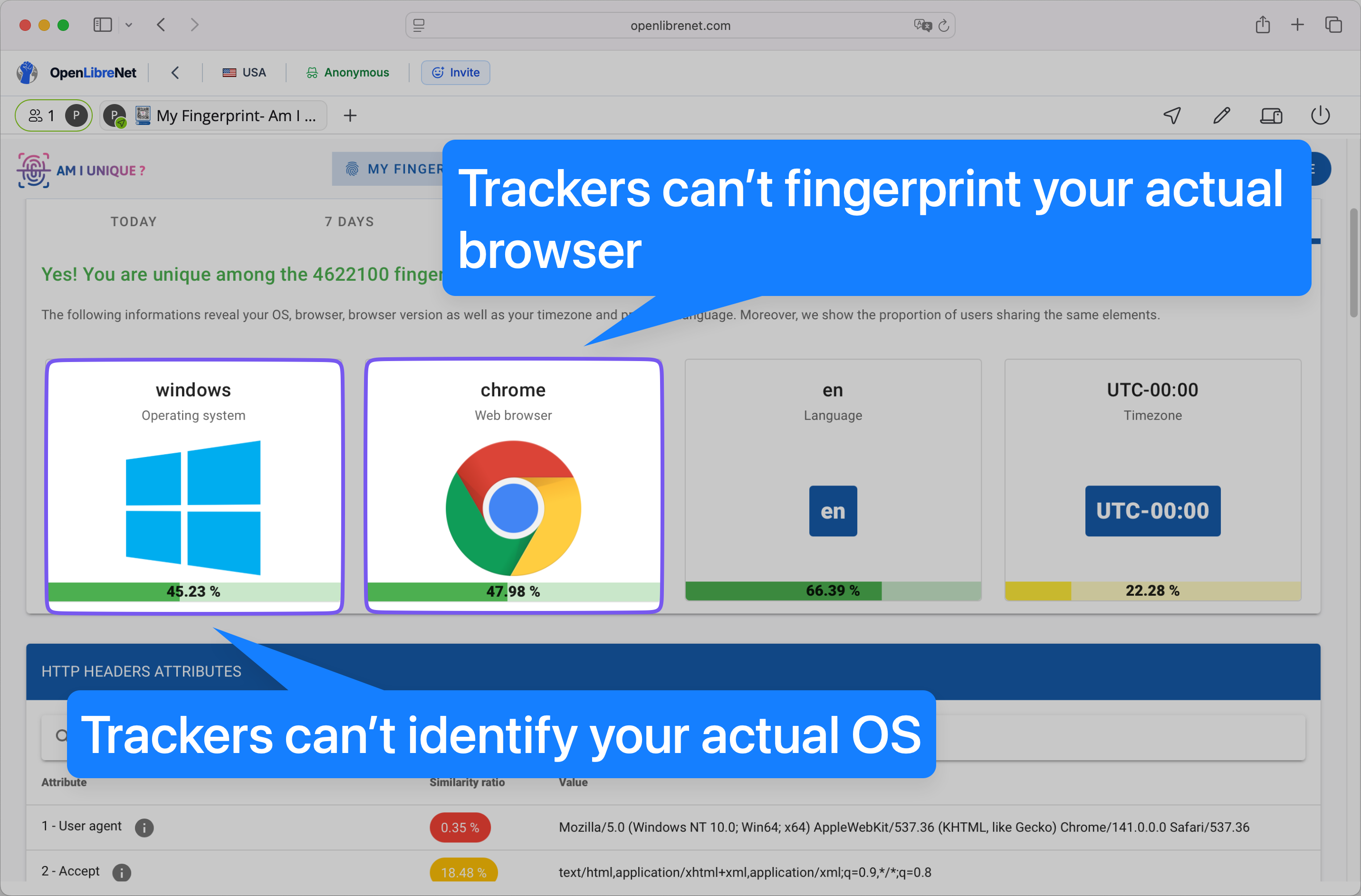
Trackers can't identify you: Generic OS/browser, masked fingerprint, standardized profile
The Mechanics of Tracking
Ad-tech companies and data brokers no longer rely solely on Cookies or IP addresses.
How It Works
When you visit a site, it runs scripts to query your device. It asks:
- •What fonts are installed?
- •What is the exact screen resolution?
- •How does this graphics card render a specific 3D cube?
- •What is the battery level?
The Result
These data points combine to create a unique "hash" or ID. Even if you change your IP address every minute, your specific hardware configuration remains the same.
The tracker recognizes the device, not the connection.
Test Your Browser
Visit the Electronic Frontier Foundation's Cover Your Tracks or AmIUnique.org to check your browser fingerprint.
Most browsers are unique among millions of users.
Comparing Privacy Technologies
OpenLibreNet compared to other privacy solutions.
| Feature | Standard VPN | Tor Browser | OpenLibreNet |
|---|---|---|---|
| Hides IP Address | |||
| Blocks Local History | No (unless Incognito) | Session Isolated | |
| Anti-Fingerprinting | Active Masking | ||
| Usability | High | Low (Slow speeds) | High (Cloud Rendered) |
| Requires Installation | Yes | Yes | No (Browser-based) |
Standard VPN
Tor Browser
OpenLibreNet
How Fingerprint Protection Works
By virtualizing the browsing session, OpenLibreNet presents a standardized profile to tracking scripts. This prevents device identification by ensuring all sessions appear identical to fingerprinting attempts.
Browse with OpenLibreNet
OpenLibreNet provides fingerprint protection through browser virtualization.
Start SessionNo Installation Required
No browser extensions or software to install. Browser-based access.
7 Global Regions
Browse from USA, UK, Germany, France, Netherlands, Hong Kong, or Sweden.
Collaborative Sessions
Share your anonymous browsing session with team members instantly.